 PlayPad Editor
TOOLS
OVERLAY
BUTTON
OVERLAY MODS
X
Y
W
H
Button properties
|
Edit carefully! |
|
Create/Edit overlay
Placement
X Y
W H
X Y
W H
WARNING! Edit carefully!
Fix aspect ratio
portrait
Initial aspect ratio
:
:
Target screen dimensions
:
:
Set screen size
Screen dimensions
x
x
x
Files
| Import ZIP | |
| Import config | |
| Import images | |
Config hint
RetroArch overlays are built from a collection of images and a text configuration file.
The config file (.cfg) describes:
- The hitbox for each input event, i.e. "size" of the button.
- Which images (.png) should be shown over the input elements.
More information: Libretro docs.
The exported .zip contains the config and all referenced images. Extract it into a single folder, then load the .cfg in RetroArch.
Do you want to reset?
All unsaved editions will be lost!
All unsaved editions will be lost!
Delete current overlay?
Delete selected button?
Overlay with this name already exist.
Enter overlay name.
Aspect ratio hint
Default aspect ratio fix
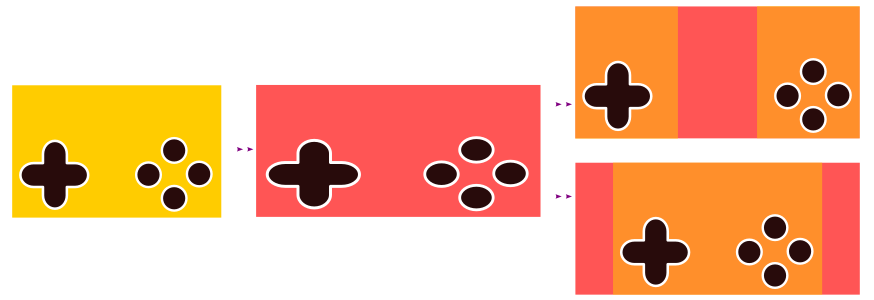
Keep relative positions
Config file
Color theme